 StylBar ConnexionJoin StylBar
Last Updated: November 10, 2026
Quick Summary
Salon software with point of sale for small salons should collapse booking, checkout, and client history into one workflow instead of three separate apps. Test the booking flow as a client, including deposits, rescheduling, and cancellations, and confirm reminders and cancellation policies fire automatically.
- Four core features decide your choice: real-time booking calendar, client profiles, and a service menu mapping duration to price.
- Suite and booth renters should prioritize mobile access and recurring appointments since regulars are most of their book.
- A workable minimum inventory setup tracks every retail product plus the two or three highest-cost back-bar products.
- Free plans earn revenue from card processing, gated features, hardware requirements, and paid data export.
- Run the new system alongside the old one for two weeks before moving your booking link.
Table of Contents
- What Small Salons Actually Need From Salon Software With POS
- Salon Booking and Scheduling Software With POS: What to Test Before You Commit
- Salon Software for Independent Stylists: Suite, Booth, and Solo Setups
- Salon Inventory Management Software: Tracking Retail Without the Spreadsheet
- Free Salon Software With Point of Sale: What Free Actually Covers
- Total Cost of Ownership: Hardware, Processing Fees, and Add-Ons
- Migration, Onboarding, and Staff Training Without Losing Bookings
- Set Up Your Booking and Checkout in StylBar Connexion
- Frequently Asked Questions
What Small Salons Actually Need From Salon Software With POS
Most small salons do not need more software. They need less friction between a client seeing your work and paying for it. Salon software with point of sale for small salons should collapse booking, checkout, and client history into one workflow, not three apps held together with memory and DMs.
The Core Features That Decide Your Choice
Four capabilities separate useful systems from basic calendars: appointment booking with a real-time calendar that prevents double-booking; client profiles storing history and intake details; and a service menu that maps duration to price so online booking quotes correctly.
If you are weighing how much 24/7 online booking actually changes revenue, the benefits of round-the-clock booking are worth reading before you shortlist anything.
Quick Comparison: Booking, Payments, and Client Management
| System | Booking Strength | Payments | Client Management | Best Fit |
|---|---|---|---|---|
| StylBar Connexion | 24/7 booking from a bookable portfolio | Integrated checkout | Profiles tied to posts and bookings | Solo pros and small teams |
| Vagaro | Service and retail workflows | POS included | Standard client records | Salons selling both services and retail |
| GlossGenius | Solo-friendly booking | Integrated payments | Basic profiles | Independent stylists |
| Booksy Biz | Scheduling plus marketplace | POS processing | Client history | Small salons wanting discovery |
| Mangomint | Team scheduling | POS included | Intake forms, memberships | Team-based salons and spas |
Salon Booking and Scheduling Software With POS: What to Test Before You Commit
Test the booking flow as a client, not an admin. Book a service on your phone at night, pay a deposit, reschedule it, and cancel it.
Then test the failure cases. Double-book two overlapping services. Try booking outside working hours and confirm the system blocks it rather than accepting a 2 AM slot you will unwind by text.
No-show handling deserves its own test. Our guide to handling client no-shows without losing revenue walks through the policy and text templates we would use, and it doubles as a checklist for what your software must automate.
Salon Software for Independent Stylists: Suite, Booth, and Solo Setups
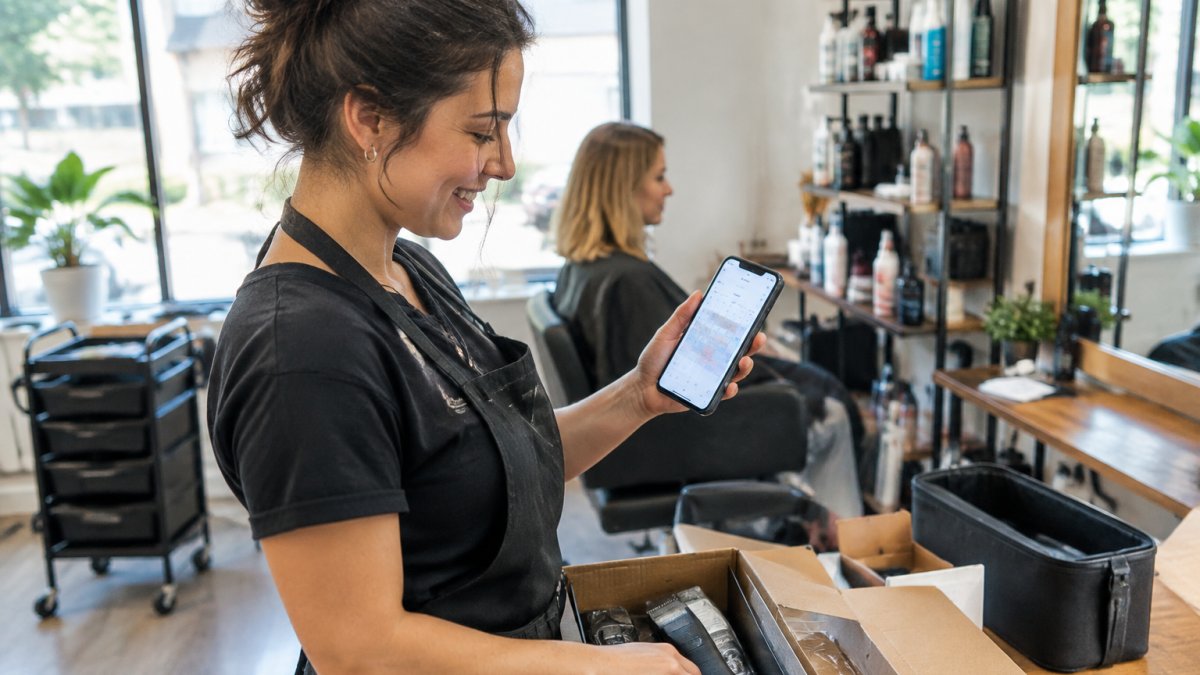
Suite and booth renters have a different problem from salon owners. You are the front desk, the stylist, and the accountant, usually between clients with colour processing.
For this group, mobile access beats a desktop terminal. A system that runs on a tablet or phone lets you check someone in while they are still in the chair.
Shared suites raise one question worth asking before you buy: can multiple stylists run separate books and separate payments under one roof without seeing each other's client data? If you rent a suite alongside other independent stylists, our breakdown of managing salon suite bookings without the chaos covers the workflow in detail.
Salon Inventory Management Software: Tracking Retail Without the Spreadsheet
Retail tracking often fails when nobody updates the spreadsheet after a long day. Salon inventory management software can help by deducting product at checkout, so the count updates when the sale happens.
Start with three numbers per product: units on hand, reorder point, and cost. Set the reorder point so you get a warning before you run out mid-weekend. Attach retail products to the service that uses them where the system allows, so colour and treatment usage is visible against the appointment.
Watch out: if your software tracks retail but not back-bar usage, your stock count will drift and you will blame the software. Decide which products are retail and which are internal before you set anything up.
How Inventory Tracking Actually Works in a Salon POS
There are three inventory models in salon software. Retail-only tracking deducts a product when it is sold at checkout, keeping shelf counts accurate but saying nothing about back-bar usage. Service-linked tracking deducts back-bar product when a service is completed, based on a per-service usage amount you configure. Manual adjustment means scanning or counting at day's end, the model most small salons fall back to when automatic deduction does not match reality.
The model that works for a small salon is usually a hybrid. Retail products are deducted at checkout because the sale is a clean event.
A common pattern is to configure inventory during a slow week, test it against a real service day, and then adjust the per-service usage amounts. If your colour usage is off by a noticeable margin after one week, the configured amount is wrong, not the software.
Testing Inventory From Booking to Checkout
Inventory is where software demos and real salon workflows diverge, so test it as a workflow.
Then test the failure cases. Cancel an appointment after the service was started and confirm the system does not deduct back-bar product twice.
Watch out: if a return does not restore the retail count, your stock will drift downward over time and you will reorder products you already have on the shelf.
The Minimum Inventory Setup for a Small Salon
You do not need to track every bobby pin. A workable minimum is: every retail product you sell, the two or three back-bar products with the highest cost or fastest usage, and a weekly count for everything else.
Attach retail products to the checkout screen so the stylist can add them in the same flow as the service payment. If adding a retail item requires leaving checkout, it will not happen during a busy day.
Free Salon Software With Point of Sale: What Free Actually Covers
That is not automatically a bad deal. For a solo stylist taking a handful of card payments a week, a free plan with processing fees can cost less than a subscription.
Ask three questions before choosing free. What are the transaction fees? Which features are locked? What happens to your client data if you leave? The answers decide whether free is cheap or just deferred.
Where the Money Actually Goes on a Free Plan
A free plan is a pricing structure, not a charity. First, card processing: most free tiers bundle processing at a rate often higher than a standalone merchant account, applied to every card tap. Second, premium feature gates: inventory tracking, multiple staff logins, automated marketing, and loyalty programs are commonly locked behind a paid tier. Third, hardware: a free plan may require you to buy or lease a specific card reader or tablet stand, a hardware cost disguised as a software decision. Fourth, data export: some platforms charge to export your client list or appointment history, turning your own client data into a paid feature.
A common pattern among small salons is to start free, add a second stylist within six months, and discover the free tier no longer covers the workflow. The migration cost is not the subscription increase; it is the staff retraining, the booking-link change, and the client confusion during the switch. Make the free-versus-paid decision against your twelve-month plan, not your current week.
The Free-Plan Checklist for Small Salons
Before you commit to a free tier, run this checklist against the platform's published terms and a trial account.
- Confirm the card processing rate in writing, including whether it changes for keyed-in versus tapped payments and whether there is a monthly minimum.
- List every feature you will need within twelve months and check which ones are gated. Inventory, staff permissions, and marketing automation are the usual locks.
- Verify whether client data export is included or charged, and in what format. A CSV export you can open in a spreadsheet is the minimum.
- Check whether the free plan limits the number of appointments, clients, or staff logins. A cap on active clients is the most common hidden ceiling.
Watch out: a free plan that caps active clients will force a migration at the exact moment your business is growing, which is the worst time to retrain staff and redirect your booking link.
When Free Is the Right Call, and When It Is Not
Free is the right call for a solo stylist with a stable book, a small number of card transactions per week, and no plans to add a chair or sell retail within the year.
Free is the wrong call when you already sell retail, when you have or plan to have a second stylist, or when you want automated marketing and loyalty tools.
Total Cost of Ownership: Hardware, Processing Fees, and Add-Ons
Subscription price is the smallest part of the bill.
Hardware means a tablet, a stand, and often a card reader. Processing fees scale with revenue, so a small difference in rate matters more as you grow.
Build the number yourself. Take your monthly card volume, apply the quoted processing rate, add the subscription, add hardware amortised over three years, then add any add-on you know you need.
Migration, Onboarding, and Staff Training Without Losing Bookings
Migration is where small salons lose clients, not money. Export your client list with contact details and service history, import it, then verify a sample of records before you switch the booking link.
Sequence the switch to protect your calendar. Run the new system alongside the old one for two weeks, move your booking link, then redirect your social profiles.
Staff training takes less time than owners expect if you train on the workflow, not the feature list. Our salon booking software setup guide lays out the learning curve step by step so you can plan the switch around your busiest days rather than through them.
Set Up Your Booking and Checkout in StylBar Connexion
Setup in StylBar Connexion follows the same logic as the tests above. Build your service menu with accurate durations.
The order matters. Availability first, services second, payments third, portfolio last. Get availability wrong and you will spend your first week rescheduling.
Most small salons are not short on tools. They are short on a single place where a follower becomes a booked, paid client.
Frequently Asked Questions
What is the best POS system for a small salon?
There is no single best option, because the right fit depends on how you work. A solo stylist in a suite needs 24/7 online booking, card payments, and client records in one place. A small team sharing space needs staff permissions and shared calendars on top of that. Shortlist two or three platforms, run your own service menu and checkout through each trial, and check processing fees and hardware costs before deciding. The platform that fits your workflow beats the one with the longest feature list.
Can salon software combine appointment booking and point of sale?
Many salon software platforms with point of sale combine online booking, calendar management, checkout, and card payments in one system, so a client can book, arrive, and pay without switching apps. The practical test is whether the calendar and the till share the same client record. If they do, your sales reports, service history, and rebooking reminders stay accurate without manual entry. Ask for a demo of a full client visit from booking to receipt before you commit.
Is there free salon software with point of sale?
Some platforms offer a free tier, but it usually covers booking and client records while charging per transaction on payments, or it limits staff accounts and reporting. Free salon software with point of sale can work for a solo stylist taking a handful of bookings a week. Once you add retail sales, multiple staff, or marketing tools, paid plans usually cost less than the workarounds. Read the processing fee schedule carefully, because transaction costs often matter more than the monthly subscription.
How much does salon POS software cost for a small business?
Pricing varies by provider and plan, so check current rates directly with each platform rather than relying on outdated figures. Build your budget from three parts: the subscription, card processing fees on every payment, and one-off hardware such as a card reader or tablet stand. Add-ons like text reminders or marketing tools can raise the total. Ask each provider for a full quote covering a typical month at your booking volume, then compare totals rather than headline monthly prices.
What features should small salons look for in salon POS software?
Prioritize online booking with control over your availability, integrated card and contactless payments, client profiles with service history and intake forms, and inventory tracking for retail products. Appointment reminders and a cancellation policy reduce no-shows. Reporting on average transaction value and booking rate shows what is working. If you share space, check staff permissions and multi-user access. Test ease of use on a phone, since most independent stylists manage bookings between clients rather than at a desk.
