 StylBar ConnexionJoin StylBar
Last Updated: November 5, 2026
Quick Summary
Manage salon suite bookings by routing every channel into one booking calendar, then setting custom hours, booking rules, and automated reminders. If it is not on the calendar, it is not booked, so enter assisted bookings and walk-ins yourself before the client leaves.
- List every service with an honest duration and add buffer time for cleanup and consultation.
- Set a minimum-notice rule and a maximum-days-ahead rule before sharing your booking link.
- Send three automated messages: a confirmation at booking, a reminder 24-48 hours ahead, and a follow-up inviting rebooking.
- Ask only for name, contact method, service, and allergy or accessibility notes at booking, then complete the record at the first visit.
- Track appointment utilization, no-show rate, rebooking rate, and average gap between visits monthly, not daily.
Table of Contents
- Why Salon Suite Bookings Break Down (and What Fixes Them)
- How to Manage Salon Suite Bookings Online: A Step-by-Step Workflow
- Step 1: Build your service menu and set durations
- Step 2: Set custom hours and booking rules
- Step 3: Connect every channel to one calendar
- Step 4: Set up intake and client records at the point of booking
- Step 5: Automate confirmations, reminders, and follow-up
- Step 6: Review the calendar weekly and adjust
- What to Look for in Salon Suite Management Software
- Are Salon Booking Apps Free? What Solo Renters Actually Pay For
- Building a Salon Cancellation and No-Show Policy That Sticks
- Client Records, Reminders, and Communication That Keeps Chairs Full
- Tracking Booking Performance: The Numbers That Matter
- Set Up Your Booking Workflow in StylBar Connexion
- Frequently Asked Questions
Why Salon Suite Bookings Break Down (and What Fixes Them)
Most salon suite bookings don't fall apart because of bad luck. They break down because the booking process lives in five different places at once: a phone, a DM thread, a personal calendar, a notes app, and memory.
Salon suite bookings are the appointments an independent beauty or grooming professional schedules and manages from a rented chair or private room, often without a front desk. That missing front desk is the whole problem. Nobody is standing between you and the phone.
The five gaps that cost you appointments
- No single calendar. Double-bookings happen when your phone calendar, your booking app, and your DMs disagree.
- No written policy. Without a cancellation and no-show rule, you absorb every lost hour.
- No automated reminders. Manual texts slip through the cracks on busy days.
- No client records. You lose service history, preferences, and rebooking timing.
- No channel discipline. Instagram, text, and walk-ins all arrive in different inboxes.
Fixing these is not about working harder. It's about routing everything through one system.
How to Manage Salon Suite Bookings Online: A Step-by-Step Workflow
Managing salon suite bookings online means building one source of truth for your calendar, then connecting every channel to it. Here is the workflow we recommend, in the order we'd set it up.
Step 1: Build your service menu and set durations
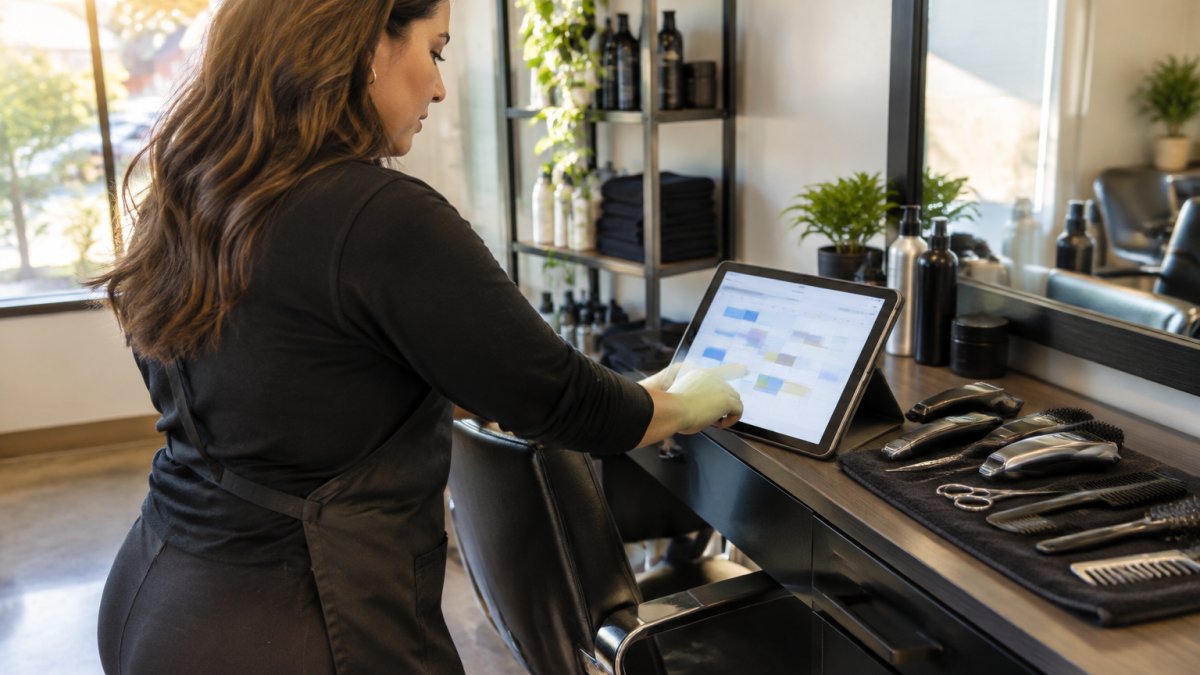
List every service you offer with an honest duration, not an optimistic one. Include buffer time for cleanup and consultation.
A common mistake is timing a color service to the application alone. Add the processing and finishing time, or your whole day runs late by the second client. Consider adding buffer time to any service that requires tools to be sanitized or a station to be reset before the next client sits down.
Step 2: Set custom hours and booking rules
Define your operating hours, then layer booking rules on top: minimum notice, maximum days ahead, and buffer between appointments. Set your availability so clients can only book within the windows you choose.
Two rules do most of the protective work. A minimum-notice rule stops same-day chaos. A maximum-days-ahead rule keeps your calendar from filling with appointments so far out that clients forget them. Set both before you share your booking link, because changing them later confuses clients who already booked under the old rules.
Step 3: Connect every channel to one calendar
Every entry point should feed the same booking calendar. If you want a deeper walkthrough on converting followers into appointments, see our guide on how to turn Instagram followers into bookings. For the bigger picture on round-the-clock scheduling, read the benefits of 24/7 online booking.
The harder problem is not getting bookings in, it is preventing double-bookings when they arrive from four directions at once. A website form, an Instagram DM, a text message, and a walk-in can all land in the same hour. The fix is a channel map: decide, for each channel, whether it is self-serve or assisted.
- Self-serve channels (your booking page, link in bio, Google profile) send clients straight to the calendar. No back-and-forth.
- Assisted channels (phone, text, DMs) are for clients who will not or cannot book online. You enter those appointments into the same calendar yourself, at the moment you agree to them.
- Walk-ins get the same treatment: if you take the appointment, it goes on the calendar before the client leaves the suite.
The rule that prevents double-bookings is simple: if it is not on the calendar, it is not booked. That means you never confirm an appointment in a DM without immediately blocking the time.
Watch out: letting a client "hold" a time in a DM while they check their schedule is how double-bookings happen. Offer the booking link instead, or block the time yourself and tell them it is held for a set window.
Step 4: Set up intake and client records at the point of booking
Ask for the information you actually need at booking: name, contact method, service, and any allergy or accessibility note. Do not collect a full intake form before the first appointment, it adds friction and lowers conversion. Collect the minimum at booking, then complete the record at the first visit.
Client records should capture service history, formula or treatment notes, allergies, preferred contact method, and rebooking interval. That last field is what makes reminders useful later.
Step 5: Automate confirmations, reminders, and follow-up
Set three messages and let them run: a confirmation at booking, a reminder 24-48 hours ahead, and a follow-up after the appointment that invites rebooking. The follow-up is the one most suite renters skip, and it is the one that fills the next gap in the calendar.
Step 6: Review the calendar weekly and adjust
Once a week, look at the next two weeks for holes, back-to-back services with no buffer, and appointments that arrived through assisted channels and may need confirmation. Adjust availability rather than working around a broken schedule. The workflow is only reliable if you close the loop between what happened and what you offer next week.
What to Look for in Salon Suite Management Software
The right salon suite management software does four jobs: appointment scheduling, client records, payment processing, and reminder automation. Anything beyond that is a bonus, not a requirement.
Use this checklist before you commit to any platform:
- One booking calendar that syncs across devices
- Custom availability and booking rules
- Automated appointment reminders by text or email
- Client records with service history
- Deposits and card payments at booking
- A public booking page you can link anywhere
- Simple rescheduling for the client, without a phone call
What most guides miss is the rescheduling test. Ask yourself: can a client move their own appointment without texting you? If not, you'll spend your evenings doing admin.
Are Salon Booking Apps Free? What Solo Renters Actually Pay For
Many salon booking apps offer a free tier, though free plans often limit features suite renters rely on. Free plans can be a reasonable place to test a workflow.
Free plans across the category vary in what they include, so compare the features you need before you commit.
Pricing varies by provider and plan, so check current rates directly with the provider before you commit.
Building a Salon Cancellation and No-Show Policy That Sticks
A salon cancellation and no-show policy works when it is short, visible, and enforced automatically. Write it in plain language, show it at booking, and let your software handle the deposit and the reminder.
Here's the structure we'd use:
- Notice window. State how many hours before the appointment a client can cancel without a fee.
- Late arrival rule. Say how many minutes late triggers a shortened service or reschedule.
- Deposit terms. Explain when a deposit is required and when it's refundable.
- No-show consequence. Name the fee or deposit forfeiture clearly, once.
- How to change an appointment. Give the self-serve link, not just a phone number.
For a full response workflow with text templates and a policy you can adapt, read our guide on how to handle client no-shows without losing revenue.
Watch out: a policy nobody sees at booking is a policy you can't enforce. Put it on the booking page, not in a drawer.
Client Records, Reminders, and Communication That Keeps Chairs Full
Automated appointment reminders are the cheapest retention tool you have. A reminder 24 hours ahead and a short confirmation nudge on the day cuts down on forgotten appointments without you sending a single text.
Client records do the rest. Track service history, formula notes, allergies, and preferred contact method in one place.
The thing nobody tells you about client communication is that consistency beats charm. The same reminder, sent every time, trains clients to expect it and respond.
Tracking Booking Performance: The Numbers That Matter
Most suite renters never measure their booking workflow, which is why the same problems repeat month after month.
| Metric | How to calculate it | What it tells you | What to do if it's low |
|---|---|---|---|
| Appointment utilization | Booked hours ÷ available hours | How full your bookable time is | Open more hours, shorten service durations, or promote off-peak slots |
| No-show rate | No-shows ÷ total appointments | Whether reminders and deposits are working | Add deposits, send an earlier reminder, require confirmation |
| Rebooking rate | Clients who book before leaving ÷ total clients seen | Whether clients are committing to a next visit | Ask at checkout and send a rebooking prompt after the appointment |
| Average gap between visits | Days between a client's visits, averaged | Whether clients drift away between appointments | Send a reminder before the usual gap closes |
Revenue management in a suite comes down to these numbers. A full chair with a high no-show rate earns less than a slightly emptier one with reliable clients.
The part most guides leave out is what to do with the numbers once you have them.
A common pattern is that suite renters fix the wrong metric.
Watch out: tracking metrics in your head is the same as not tracking them.
Set Up Your Booking Workflow in StylBar Connexion
Running this workflow by hand is possible, but it can become a second job. StylBar Connexion offers 24/7 booking availability, an integrated bookable portfolio, and all-in-one business management in a single platform.
Visit the StylBar Connexion website to learn more about getting started.
Frequently Asked Questions
What should a salon suite booking policy include?
Cover four things: a cancellation window (24 or 48 hours works for most suite renters), a no-show fee or deposit rule, a late-arrival cutoff, and how clients can reschedule. Put the policy on your booking page and repeat it in the confirmation message so nobody claims they didn't see it. Keep the wording short and specific, for example 'Cancellations inside 24 hours forfeit the deposit.' Clear rules protect your income and make salon suite bookings predictable.
How can independent stylists reduce no-shows and last-minute cancellations?
Require a card or deposit at booking, send automated reminders 48 hours and 24 hours out, and confirm every appointment by text or email. Reminders do most of the work because most no-shows are forgotten appointments, not deliberate ones. Then enforce your salon cancellation and no-show policy consistently, even with regulars. Track your no-show rate monthly so you can see whether the changes are working.
Do I need salon suite management software if I only get a handful of bookings a week?
If bookings arrive through DMs, texts, and word of mouth, you are already doing the work a booking tool automates. A small client base is the easiest place to start: one calendar, automated reminders, and a booking link you can share on social media. You avoid double bookings and stop losing enquiries that arrive while you are mid-service. Start with the essentials and add features as your volume grows.
Can multiple stylists share one booking system in a salon suite?
Yes, if the platform supports multiple calendars or team accounts. Each stylist keeps their own service menu, availability, and client records while the suite shares one booking link and one dashboard. Check that the tool handles station or chair assignment and separate payment processing per provider, since mixing client data or payouts between renters causes disputes. Confirm the setup before you commit to a shared plan.
The chaos in salon suite bookings comes from scattered channels and unwritten rules. Pick one calendar, write the policy down, and let reminders and records carry the load. StylBar Connexion gives you 24/7 booking, a bookable portfolio, and one place to run your business, so your chair stays full without you chasing texts. Get started with StylBar Connexion and take control of your calendar.
