 StylBar ConnexionJoin StylBar
Last Updated: November 26, 2026
Quick Summary
Stylists simplify client communication by putting one system in charge of every message, from first booking request to post-service follow-up: clear booking rules, templated replies, automatic reminders, and a written record of each client's preferences. This guide breaks that system into five parts you can set up this week.
- Send reminder texts at 48 and 24 hours before the appointment to cut no-shows.
- Keep each reminder text under 160 characters so it lands as a single message.
- Capture the client's preferred channel and consent to automated messages at booking.
- Send a follow-up 24 hours after the appointment with one at-home care tip.
- Score tools one to five on booking integration, shared inbox, automation, consent, and cost.
Table of Contents
- How do stylists simplify client communication?
- Salon appointment reminder texts that cut no-shows
- Salon client follow-up messages that bring people back
- Salon communication tools that do the heavy lifting
- Salon no-show policy communication without the awkwardness
- Set up your booking and communication hub
- Frequently Asked Questions
How do stylists simplify client communication?
Stylists simplify client communication by putting one system in charge of every message, from first booking request to post-service follow-up: clear booking rules, templated replies, automatic reminders, and a written record of each client's preferences.
The problem is rarely effort, most independent stylists already answer texts between clients and squeeze in calls after hours.
Client communication is the full set of messages a stylist sends and receives across a client relationship: booking, consultation, reminders, follow-up, and rebooking. When those messages live in five different apps, things fall through.
| Stage | What you send | When | Goal |
|---|---|---|---|
| Booking | Confirmation with date and time | Instantly | Lock in the appointment |
| Reminder | Short text with reply options | 48 and 24 hours before | Cut no-shows |
| Consultation | Two questions about hair goals | Day before or at arrival | Set expectations |
| Follow-up | Thank-you plus at-home care tip | 24 hours after | Build the relationship |
| Rebooking | "Ready for your next visit?" nudge | 4-6 weeks later | Repeat bookings |
Salon appointment reminder texts that cut no-shows
The most effective reminder is short, sent twice, and asks for a reply. A 48-hour message gives clients time to reschedule; a 24-hour message confirms the visit is still on.
Keep each text under 160 characters so it lands as a single message. Here is a template we recommend:
"Hi [Name], this is [Stylist] at [Salon]. You're booked [day] at [time]. Reply C to confirm or R to reschedule."
Two details matter more than the wording. Make replying easy, because a client who has to open an app to cancel will simply not show. Then set up automatic confirmations so nobody sends these by hand.
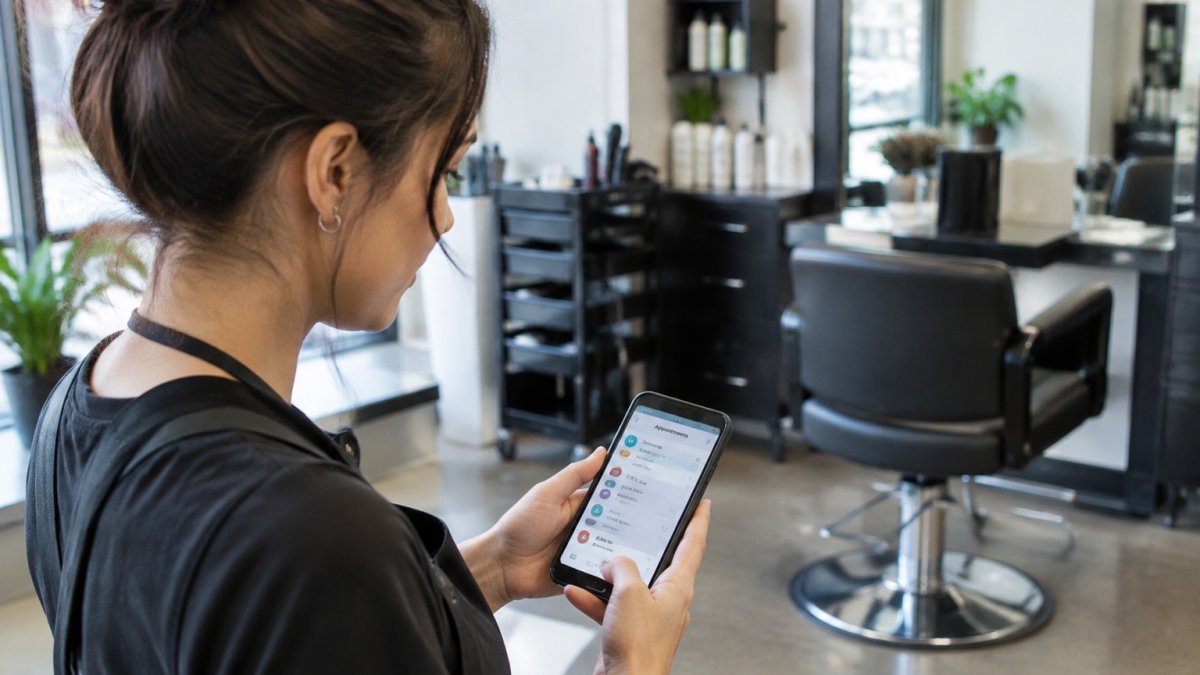
Get consent and record channel preferences first
Reminders only work if the client expects them and can receive them.
Store that preference in the client record alongside their service history. A client who books by email but receives texts will ignore them, and a client who prefers calls may find texts impersonal.
Watch out: sending promotional messages through the same automated reminder channel can violate consent expectations.
Build a two-message reminder sequence
A reliable sequence looks like this:
- 48 hours before: confirmation request with reply options (C to confirm, R to reschedule).
- 24 hours before: short confirmation with location, parking note, and a one-line preparation tip tied to the service.
If the client does not reply to the 48-hour message, the 24-hour message should ask a direct question rather than repeat the same wording. "Hi [Name], just checking you're still set for [day] at [time], reply Y to confirm or call me if you need to move it" catches a conflict before it becomes a no-show.
Protect client information in reminder messages
Reminder texts travel through phone networks and sit on lock screens. Avoid including service details, prices, or personal information beyond the client's first name and appointment time.
Use the reminder as a prompt and keep the detail in the booking record.
Reminders work best when they sit inside a booking system that holds the calendar too. Our guide to 24/7 online booking explains why around-the-clock scheduling pairs so well with automated reminders.
Salon client follow-up messages that bring people back
Follow-up is where most stylists leave money on the table.
Try this structure:
- Thank the client by name
- Give one at-home care tip tied to their service
- Mention when to rebook, without pressure
"Hi [Name], thanks for coming in today. To keep your color fresh, wait 48 hours before washing. I'd love to see you again in about six weeks.
Send it from the same number every time, consistency builds recognition, and recognition builds trust. A common mistake is sending follow-ups only to new clients.
Salon communication tools that do the heavy lifting
Salon communication tools are the software that handles booking, reminders, follow-ups, and client records in one place. The right tool removes manual texting from your day entirely.
What most guides miss is that the tool matters less than the setup. A well-configured app beats one left on default settings. Look for four things:
- Automated reminder and follow-up messages
- A client record with notes and service history
- Online booking that syncs with your calendar
StylBar Connexion offers bookable portfolio posts and 24/7 scheduling. Every post you share in its bookable portfolio becomes a direct booking opportunity, so a client who sees your work can book on the spot. Its 24/7 scheduling lets you take bookings around the clock while keeping your actual hours firm.
Use a selection framework before you commit
Choosing a tool is easier when you score each option against the same criteria. A practical framework for a solo stylist or small salon looks like this:
- Booking integration: Does the tool connect to the calendar you already use, or does it require a second calendar you have to check separately?
- Shared inbox: Can you see every client conversation in one place, or do texts, emails, and social messages live in different apps?
- Automation depth: Can you build a reminder sequence and a follow-up message without manual sending, and can you edit the templates?
- Consent and privacy controls: Does the tool record messaging consent, let clients set channel preferences, and keep client notes secure?
- Cost and ease of use: Does the monthly cost match the hours it saves, and can you set it up without a technician?
Score each option from one to five on those five criteria and total the scores. The highest total is not always the right answer, a tool that scores well on automation but poorly on booking integration will create more work than it removes, but the framework makes the trade-offs visible.
Measure whether the tool is working
A communication tool is only valuable if it improves outcomes you can track. Four metrics tell you whether the setup is doing its job:
- Confirmation rate: the share of clients who reply to the 48-hour reminder. A low rate usually means the message is unclear or the channel is wrong.
- No-show rate: the share of booked appointments that are missed. Compare it before and after you turn on reminders.
- Rebooking rate: the share of clients who book again within your typical service window. A follow-up message should move this number.
Review these numbers monthly. If confirmation rate is low, rewrite the reminder template. If no-show rate stays high, check whether the policy is visible at booking. If rebooking rate is flat, the follow-up message may be too generic.
Integrate the tool without breaking your workflow
Integration is where most setups fail. A tool that does not connect to your booking page, your calendar, and your client records creates duplicate work.
Watch out: importing client notes and service histories from an old system can overwrite newer records if the import is not mapped carefully.
If you are weighing whether software is worth it as a solo operator, this breakdown of salon management software for solo stylists walks through the trade-offs honestly.
Salon no-show policy communication without the awkwardness
A no-show policy only works if clients see it before they book.
Write the policy in plain language:
- The deposit amount and what it covers
- How much notice you need to reschedule
- What happens if someone misses twice
Then keep the tone warm in the message itself.
Watch out: a policy buried in a booking confirmation nobody reads is not a policy. It is a surprise, and surprises cost you reviews.
For scripts that handle the conversation itself, including the client who argues about the fee, see this guide on handling client no-shows without losing revenue.
Set up your booking and communication hub
The final step is consolidation. Pick one system as your hub, then move every message channel into it. Start with these steps:
- Set your real availability, including buffer time between clients
- Load your reminder and follow-up templates
- Add your no-show policy to the booking page
- Import client notes and service history
- Test the whole flow with one booking of your own
Expect the setup to take an afternoon. After that, the system sends reminders and follow-ups while you work.
If the learning curve worries you, this salon booking software setup guide breaks it into stages so you are never rebuilding your business in one sitting. When you are ready to put your work and your calendar in one place, you can see the booking and portfolio platform that StylBar Connexion offers.
The real test of any communication system is whether it holds up on a busy Saturday. Ours is built for exactly that: a bookable portfolio that turns your posts into appointments, 24/7 booking with availability you control, and one dashboard for the whole business.
Frequently Asked Questions
What should a stylist include in an appointment confirmation message?
Include the date, time, service booked, your address or suite number, and a clear cancellation window. Add a line about what to expect, such as arriving with dry hair or bringing inspiration photos. A confirmation message is also the right place to ask for a reply to confirm, which gives you a record of who is actually coming. Keep it short enough to read on a phone lock screen.
How often should a stylist follow up with a client after an appointment?
Send a short thank-you message within 24 hours, then a care check-in around day three to five. After that, a rebooking nudge at the point their service typically needs refreshing works well. For most clients that means one message per week for the first two weeks, then a single reminder before their usual return window. Stop if they reply asking for space.
How can better client communication help reduce no-shows?
Most no-shows come from forgetfulness or unclear expectations, not bad intent. A reminder text 48 hours out and a confirmation request 24 hours out catch both. Add a plainly worded no-show policy at booking so the consequence is known before it happens. Stylists who follow this pattern see fewer empty chairs because clients have two chances to reschedule instead of simply not turning up.
How can stylists set clear boundaries with clients over text?
Set your reply hours in writing and stick to them. Use an auto-reply outside those hours that points clients to your booking link for changes. Keep all scheduling in one channel rather than scattered across DMs, texts, and calls. For late-night requests, a next-morning reply is fine. Boundaries hold when the policy is visible before the client needs it, not after a problem.
