 StylBar ConnexionJoin StylBar
Last Updated: November 21, 2026
Quick Summary
Salon booking software with portfolio combines appointment scheduling with a visual gallery of your work, so clients can browse your results and book directly from the same place. The portfolio and the calendar need to be one surface, because every extra step between wanting a style and booking it loses clients.
- StylBar Connexion makes every post you share bookable, so viewers convert without leaving the portfolio.
- Booksy's Boost program is reported at 30% of a new client's first visit, with a $10 minimum and $100 cap.
- StyleSeat reportedly charges 30% commission on a new client's first visit.
- Test your portfolio on a phone and count the taps to a confirmed appointment; more than two or three means it is decoration.
- Before committing client data, confirm you can export client records and download portfolio images at full resolution.
Table of Contents
- What Salon Booking Software With Portfolio Actually Does
- Best Salon Software for Independent Stylist Workflows
- Salon Appointment Scheduling Software Compared
- Salon Client Management Software: Profiles, History, and Retention
- Is There Salon Booking Software With Portfolio Free?
- Setting Up Your Bookable Portfolio and Availability
- Frequently Asked Questions
What Salon Booking Software With Portfolio Actually Does
Salon booking software with portfolio combines appointment scheduling with a visual gallery of your work, so clients can browse your results and book directly from the same place. Most platforms treat these as separate tools.
A photo of your work should be a booking button, not just a post. Here's what works, which platforms deliver it, and where the gaps hide.
The Portfolio-to-Booking Gap Most Platforms Ignore
A portfolio on Instagram and a calendar in a separate app create friction at the exact moment a client decides to book.
That gap costs bookings. A link in your bio doesn't close it, every extra step between "I want that" and "I'm booked" loses people.
The fix is structural: the portfolio and the calendar need to be one surface.
Best Salon Software for Independent Stylist Workflows
For independent stylists, the best salon software handles three things without switching apps: a bookable portfolio, 24/7 scheduling, and client records. Anything less means running your chair and your admin in two places.
How StylBar Connexion Handles Bookable Portfolios
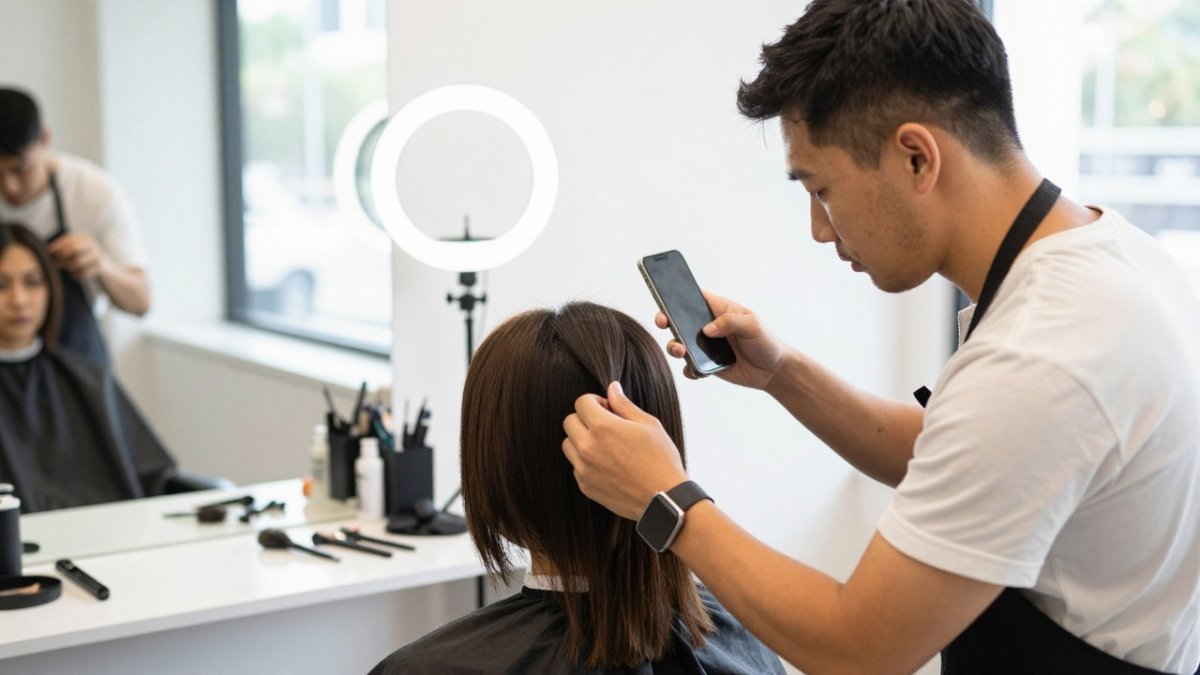
StylBar Connexion makes every post you share bookable. You upload a photo of a finished set of braids or a fresh fade, and the post itself becomes a direct booking opportunity.
The platform also offers 24/7 booking availability and all-in-one business management, so you can run your calendar and portfolio from a single location.
You can see the bookable portfolio in action and how posts convert to appointments.
Salon Appointment Scheduling Software Compared
Salon appointment scheduling software splits into two camps: platforms built around booking, and platforms built around the full business. Here's how the main options stack up on what we can verify.
| Platform | Portfolio Support | Booking Model | Verified Pricing Detail |
|---|---|---|---|
| StylBar Connexion | Bookable portfolio built in | 24/7 online booking | Contact for current pricing |
| Booksy | Not verified in supplied data | Optional Boost program | Boost reported at 30% of a new client's first visit, $10 minimum, $100 cap |
| StyleSeat | Not verified in supplied data | Commission on new clients | 30% commission on a new client's first visit reported |
| Vagaro | Not verified in supplied data | Subscription | Not specified in supplied data |
| Mangomint | Not verified in supplied data | Subscription | Not specified in supplied data |
| Timely | Not verified in supplied data | Subscription | Not specified in supplied data |
| MyCuts | Not verified in supplied data | Subscription | Not specified in supplied data |
Commission and subscription models carry different costs, so compare what each one charges against your expected client volume before committing.
If you want a broader framework before deciding, our guide on choosing booking software for beauty pros walks through the evaluation criteria.
Salon Client Management Software: Profiles, History, and Retention
Most guides treat client management as a filing cabinet: name, number, notes, past appointments. That framing is why so many salons switch platforms and still lose rebookings. The retention lever isn't the record, it's what the record is connected to.
Why the portfolio belongs inside the client profile
When a client books from a photo, the strongest systems attach that photo to the appointment and the client record. Next visit, the stylist opens the profile and sees the exact reference image, the formula or service notes tied to it, and the date it was done.
Solo stylists and booth renters often keep this in a camera roll and a notes app. It works until the client moves, the phone changes, or the chair passes to a teammate.
The conversion path a portfolio should create
Retention starts before the first booking. A portfolio image should lead a visitor through a short, visible path:
- The visitor sees a photo of finished work, a balayage, a fade, a set of braids.
- The photo is tagged with the stylist, the service, and the approximate price or price range.
- A booking action sits on or beside the image, showing that stylist's real availability.
- The visitor selects a slot and books without leaving the portfolio surface.
When any step is missing, no stylist tag, no service link, no live availability, the visitor has to reconstruct the path, and most won't. The test: open your portfolio on a phone, tap an image, and count the taps to a confirmed appointment. More than two or three, and the portfolio is decoration, not a booking tool.
What to measure
You don't need an analytics suite to see whether the portfolio is converting. Track three things: portfolio views that lead to a booking page visit, booking page visits that become confirmed appointments, and which images or stylists drive the most bookings. An image with views but no bookings usually signals a missing service link, unclear price, or no availability behind it.
Where client history and portfolio overlap
Client history should also feed the portfolio. With consent, before-and-after pairs and service notes become raw material for future posts, and the record shows which services are repeatable versus one-off.
Watch out: if your client records live in one system and your portfolio lives in another, you will eventually duplicate or lose the link between a photo and the appointment it came from.
Is There Salon Booking Software With Portfolio Free?
Free tiers for salon booking software with portfolio exist, but the word "free" can hide real limits. Before you build a workflow on one, verify four things directly on the provider's current plan page or in a trial account.
What free plans typically limit
- Portfolio capacity. Some free plans cap images, galleries, or upload resolution. A handful of photos is a demo, not a portfolio.
- Booking volume. Free tiers often limit monthly appointments or restrict online booking to certain hours.
- Branding. Free plans frequently show the platform's branding on your booking page, undercutting the professional presentation a portfolio should create.
How to verify portfolio features before you commit
The fastest test is a trial account with your own images. Upload a set of photos, tag them to a stylist and a service, publish the booking page, and open it on a phone as a client would. Then check:
- Does each image link to a specific stylist and service?
- Does the booking action show real availability for that stylist?
- Can you reorder, caption, and remove images without losing booking links?
If a provider's marketing page is ambiguous about any of these, treat it as unverified until you see it in a trial. Broad comparison articles often list "portfolio" without distinguishing a native gallery from a link out to Instagram, very different tools.
The migration question people underestimate
A free tier is a testing ground, not a business home. The step that catches people is moving off it. Before you commit client data to any platform, free or paid, confirm:
- Can you export client records, appointment history, and service notes in a usable format?
- Can you download your portfolio images at full resolution, with captions and tags intact?
- How long does setup take for services, staff calendars, and availability rules?
A practical switch checklist: export your client list and appointment history, download every portfolio image and its metadata, rebuild your service menu with prices and durations, recreate staff calendars and buffers, then run a test booking from a portfolio image before announcing the new link. Budget real time, most practitioners find the service menu and availability rules take longer than the image upload.
When free is genuinely enough
For a stylist just starting out, a free tier can confirm the workflow fits how you actually work: how you photograph, tag, and how clients book.
Watch out: if a free plan won't let you export client records or download your portfolio images, you are not testing a tool, you are building a business on a platform you can't leave cleanly.
Setting Up Your Bookable Portfolio and Availability
Setup is where a good platform either proves itself or frustrates you. Get your portfolio organized before you touch availability, or you'll be publishing photos with no bookable slots behind them.
Start with your images. Our guide on organizing before and after photos for clients covers consent, image rights, and how to sequence shots so the transformation reads clearly. Then connect your social accounts so portfolio content feeds into bookings, using our walkthrough on linking Instagram to your booking system.
Next, set your availability with real granularity. A 24/7 booking window doesn't mean clients book you at 2 AM for a 2 AM appointment.
For a step-by-step setup walkthrough, our salon booking software setup guide takes you from account creation to a live bookable portfolio.
Running a chair and running a business shouldn't require two sets of tools. StylBar Connexion puts your bookable portfolio, 24/7 scheduling, and client management in one place, so every post you share becomes a path to a booked appointment. Get started with StylBar Connexion and turn the work you're already photographing into bookings around the clock.
Frequently Asked Questions
What is salon booking software with a portfolio?
It is a scheduling platform that also hosts a gallery of your finished work, so clients can see your cuts, color, or nail sets and book directly from those images. The portfolio is tied to your booking page rather than sitting on a separate social account. StylBar Connexion builds this in by making every post you share bookable, which means a client who likes a photo can select that look and request an appointment without leaving the platform.
Can clients book appointments directly from a stylist's portfolio?
On platforms built for this, yes. The portfolio image links to your service menu and live availability, so the client picks the look, the service, and a time slot in one flow. This matters for conversion because the step between seeing your work and booking is where most social media followers drop off. When every post is bookable, as with StylBar Connexion, the gap between seeing and booking is narrowed. Verify on any platform you trial that the photo actually links to a booking action, not just a contact form.
Is there free salon booking software with portfolio features?
Free tiers exist, but they usually limit portfolio size, remove booking buttons, or take a commission on new clients. Before committing, check what the free plan includes for photo storage, custom branding, and automated reminders. Confirm current plan details and any trial directly on the StylBar Connexion website before signing up.
How can salon booking software help reduce client no-shows?
Automated reminders sent by text or email before the appointment are the main mechanism, and most salon booking software includes them. Pair reminders with a clear cancellation policy and a deposit or card-on-file requirement for high-value services. Independent stylists working alone feel a no-show more than a large salon, so set the reminder window to match your client base, often 48 hours and again 2 hours before. Check that reminder texts send from a number clients recognize.
How do I control availability if I enable 24/7 booking?
Set your working hours, buffer time between clients, and blocked personal time inside the staff calendar before you publish the booking page. Granular controls let you open weekday evenings but close Sunday, or block a two-hour window for a color correction. Test your own booking page as a client would before you share it publicly.
