 StylBar ConnexionJoin StylBar
Last Updated: November 8, 2026
Quick Summary
To link Instagram to your booking system, add your booking provider's action button through Edit Profile and Contact Options, or paste your booking page URL into the Website field if the Book Now button isn't available in your region. Instagram booking works because a follower taps, picks a time, and gets a confirmation without leaving the app.
- You need admin access to the Instagram account, not just the login details, to set up the action button.
- If Book Now is missing, use your booking page URL in the Website field or a link-in-bio page.
- Story link stickers let any account add a tappable booking link with no follower threshold required.
- Posts and Reels can't take link stickers, so route viewers to your bio link and action button.
- Test a full booking on your phone as a client would, using a second email or a friend's booking.
Table of Contents
- Why Linking Instagram to a Booking System Converts Followers
- How to Add a Book Now Button on Instagram
- How to Edit the Book Now Button on Instagram
- How to Add a Booking Link to an Instagram Story
- Is There a Free Instagram Booking System?
- Set Up Your Instagram Booking Link with StylBar Connexion
- Frequently Asked Questions
Why Linking Instagram to a Booking System Converts Followers
The worst place to lose a client is the gap between "I love your work" and "I'm booked in." Learning how to link Instagram to a booking system closes that gap in a few taps. Stylists with strong profiles often see weak conversion when the booking path asks too much of the client.
Instagram booking works because it removes friction. A follower taps, picks a time, and gets a confirmation without leaving the app. No DMs at midnight. No "are you free Saturday?" back-and-forth.
The old way leaks clients at every step. Here's what most guides miss: the problem isn't traffic, it's the handoff.
- Followers see your work and want it
- They have to remember your handle later
- They send a DM and wait for a reply
- Someone else books them first
Every extra step costs you clients. A booking link cuts the chain down to one tap.
How Instagram Booking Works for Beauty Professionals
A booking link is a direct path from your profile to your calendar. The client sees your availability, picks a slot, and confirms. You get an appointment request without touching your phone.
The setup has three parts:
- A booking provider with a public booking page
- A link or action button on your Instagram profile
- Availability rules that protect your chair time
That last part matters more than people think. Open your calendar too wide and you'll get requests at hours you never wanted to work. Set availability windows inside your booking system, not just in your head. If no-shows are already a problem, our guide on how to handle client no-shows covers the response workflow and policy language that protects your income once Instagram bookings start landing.
How to Add a Book Now Button on Instagram
The Book Now button is a profile action button that opens your booking page directly from Instagram. Before you start tapping, confirm both conditions, otherwise the option won't show up and you'll waste time hunting through menus.
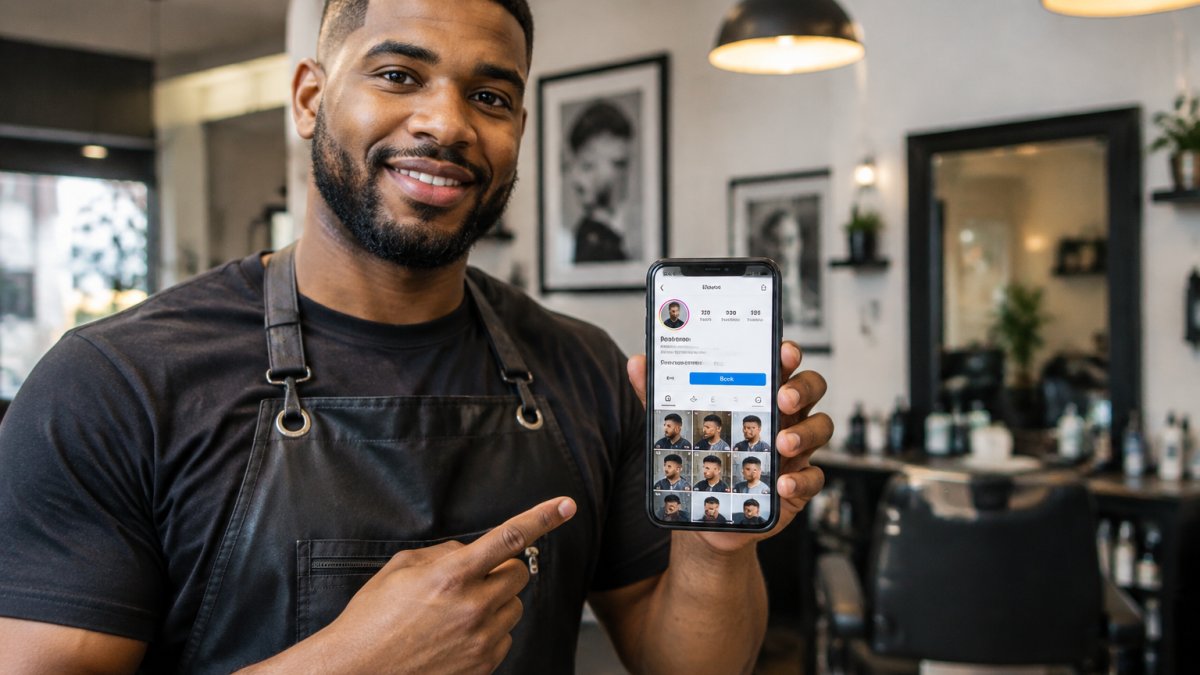
Connecting Your Booking Provider to the Action Button
Two things trip people up here:
- Account permissions. You need admin access to the Instagram account, not just the login details. If a manager or agency set up the account, ask them to grant you admin rights before you start.
- Region. Some action buttons roll out by country. If Book Now is missing from the list entirely, your provider may still work as a profile link, the feature just isn't available in your market yet.
What to Do When the Book Now Button Isn't Available
If your provider isn't on the partner list, or the button isn't offered in your region, you still have a working path: use the profile link instead. Add your booking page URL to the Website field in Edit Profile, and treat that as your primary call to action. Pair it with a link-in-bio page if you need to route to multiple destinations (booking, portfolio, directions).
The customer experience is slightly different, a profile link requires one extra tap compared to the action button, but the booking flow itself is identical once the client lands on your page. Test both paths on your own phone before you promote either one.
Before you start tapping, confirm both conditions, otherwise the option won't show up.
| Requirement | What you need | If it's missing |
|---|---|---|
| Account permissions | Admin access to the Instagram account | Ask manager or agency to grant admin rights |
| Region | Book Now button offered in your country | Use booking page URL in Website field |
| Provider | Booking provider on the partner list | Use profile link or link-in-bio page |
How to Edit the Book Now Button on Instagram
To edit the button, go back to Edit Profile, then Contact Options, and select the action button again. You can swap providers, update the link, or remove the button entirely from the same screen.
Do this any time you change booking systems. An action button pointing at a dead page is worse than no button at all. Clients tap, hit an error, and assume you're closed.
A quick monthly check keeps it clean:
- Tap the button yourself on mobile
- Confirm the booking page loads
- Check that availability reflects your real calendar
- Make sure the button label still matches what you offer
How to Add a Booking Link to an Instagram Story
Story link stickers let any account add a tappable booking link, no follower threshold required. Tap the sticker icon, choose Link, and paste your booking page URL.
Stories convert well for beauty pros because they're timely. Post a story when a slot opens up and someone can claim it the same day.
Adding Booking Links to Posts and Reels
Posts and Reels don't take link stickers the same way. Your options are the bio link and the action button. So treat every post as a funnel back to the profile.
A simple routine works:
- End each Reel with a clear line: "Booking link in bio"
- Keep your booking link as the top link in your bio
- Pin a Story highlight called "Book" with the link sticker inside
Copy your booking URL once and save it in your notes app. Pasting it fresh every time invites typos, and a broken link in a Story gets zero second chances.
Is There a Free Instagram Booking System?
Most booking platforms offer a free tier with limits on staff, services, or features. For a solo stylist, a free tier can carry you for a while, but the limits matter more than the price tag, and they show up at predictable points.
Testing Your Booking Flow Before You Promote It
Run a full test booking yourself, on your phone, as a client would, not on desktop, and not while logged into your own booking dashboard. Then check four things:
- The booking page loads in under a few seconds on mobile data
- Available slots match your real schedule, including buffer time between appointments
- The confirmation email or text arrives and includes the correct date, time, and location
- The appointment shows in your calendar and in your booking system's dashboard
Watch out: testing with your own email or phone number can hide deliverability problems. Use a second address or ask a friend to book a real slot, then cancel it, that catches confirmation emails landing in spam or texts failing on certain carriers.
If you want the deeper case for round-the-clock scheduling, our breakdown of the benefits of 24/7 online booking covers the trade-offs before you pick a system. And if you're still comparing platforms, our salon booking software setup guide walks through the learning curve step by step, so you can get booked without losing clients mid-setup.
Set Up Your Instagram Booking Link with StylBar Connexion
Here's where the setup gets simpler. StylBar Connexion gives you an integrated bookable portfolio, so every post you share becomes a direct booking opportunity. No separate link juggling, no gap between your work and your calendar.
Three things make it fit this workflow:
- Bookable portfolio. Clients see your work and book from the same place.
- 24/7 booking availability. You set the windows; clients book inside them.
- All-in-one management. Portfolio, bookings, and business in one location.
If you want the full playbook on turning followers into paying clients, read how to turn Instagram followers into bookings for DM scripts and bio link tactics.
Setting up takes one session. Start with your bookable portfolio and booking link, then test it on your own phone before you tell a single client.
The gap between a follower and a booked appointment is smaller than most stylists think. It's one link, placed well, backed by a calendar that runs itself. StylBar Connexion was built for exactly that: a bookable portfolio where every post can convert, 24/7 availability that respects your hours, and one place to run the whole business. Get started with StylBar Connexion and turn your profile into a booking channel.
Frequently Asked Questions
How do I link Instagram to a booking system?
Switch to a professional account, open Edit Profile, and add your booking URL to the Links or Contact Options field. Then paste your booking page URL, save, and verify the link opens correctly on mobile.
Why is the Book Now button not showing on my Instagram profile?
If a booking button is not showing on your profile, use your bio link as a fallback so customers can still reach your booking page.
Can I link Instagram to a free booking system?
Check each booking provider's current plans and pricing directly, and confirm which features your plan includes before you commit. For current StylBar Connexion pricing, visit the StylBar Connexion website or request a quote.
How do I add a booking link to an Instagram Story?
Create your Story, tap the link sticker, and paste your booking page URL. Add a short prompt like Book your appointment and place the sticker where it is easy to tap. Check the link after posting to make sure it opens your scheduling page.
