 StylBar ConnexionJoin StylBar
Last Updated: November 28, 2026
Quick Summary
You set up a professional booking page by choosing scheduling software, listing services with clear durations and prices, setting availability and booking rules, then sharing the link everywhere clients find you. A booking page is a single web page where clients pick a service, see open times, and confirm an appointment without calling or messaging you.
- List each service with a clear name, short description, and honest duration padded by 10-15 minutes.
- Set buffer time of 10-20 minutes between clients to cover cleanup and notes.
- A minimum notice of 12 or 24 hours solves most last-minute booking worries.
- Set two reminders: one a few days out and one the day before.
- Put a short cancellation policy on the booking page next to the confirm button.
Table of Contents
- How Do You Set Up a Professional Booking Page?
- Pick Your Booking Software First
- Set Up Your Services, Availability, and Booking Rules
- Online Booking Software for Small Businesses: What to Look For
- Professional Booking Page Examples You Can Learn From
- Appointment Booking Page Best Practices
- Automated Appointment Reminders That Cut No-Shows
- Privacy, Security, and Policies Your Booking Page Needs
- Launch Your Booking Page on StylBar Connexion
- Frequently Asked Questions
How Do You Set Up a Professional Booking Page?
You set up a professional booking page by choosing scheduling software, listing services with clear durations and prices, setting availability and booking rules, then sharing the link everywhere clients find you.
Independent barbers, braiders, nail techs, and makeup artists who run their chairs alone need a page that answers three questions fast. They need a page that answers three questions fast: what you offer, when you're free, and how to book. A booking page is a single web page where clients pick a service, see open times, and confirm an appointment without calling or messaging you.
Pick Your Booking Software First
The biggest mistake we see is picking software by price alone. A cheap tool that fights you every week costs more in lost time than a paid one that fits your chair.
Start by listing what you actually need:
- A shareable booking link for your Instagram bio
- Calendar sync so double bookings can't happen
- Automated reminders
For a deeper comparison of options built for beauty pros, our guide on choosing booking software breaks down what matters.
Watch out: don't migrate your client list until you've tested the new tool with a handful of bookings.
Set Up Your Services, Availability, and Booking Rules
Every booking page runs on three settings: what you offer, when you're open, and what rules apply.
Services. List each one with a clear name, a short description, and an honest duration.
Availability. Set your business hours first, then block recurring personal time.
Scheduling rules. Add buffer time between appointments, a minimum notice window, and a cap on how far ahead clients can book.
Our setup guide for booking software walks through the setup screens step by step.
| Setting | What to Enter | Why It Matters |
|---|---|---|
| Service duration | Real time plus 10-15 min | Prevents back-to-back overruns |
| Buffer time | 10-20 min between clients | Covers cleanup and notes |
| Minimum notice | 12-24 hours | Blocks last-minute and overnight bookings |
| Booking window | 4-8 weeks ahead | Keeps your calendar flexible |
| Deposit | Set per service | Cuts no-shows |
Online Booking Software for Small Businesses: What to Look For
Online booking software for small businesses should do four things well: take bookings around the clock, sync with your calendar, send reminders, and let you control availability.
Here's what we'd check before committing:
- Calendar sync: two-way sync with the calendar you already use
- Reminders: automatic email and text confirmations
- Deposits: the ability to require payment at booking
One thing most reviews miss: ask how the tool handles time zones. A booking page that shows the wrong time for an out-of-town client creates a mess you'll fix by hand.
Professional Booking Page Examples You Can Learn From
The best professional booking page examples share one trait: a client can book in under a minute without reading instructions.
- The service list sits near the top, not buried under an "About" section
- Prices are visible, so clients self-select before booking
- The "Book Now" button appears on every screen
Pages where you have to scroll through a long bio before finding a time slot lose bookings quietly. The client doesn't complain; they just leave.
When you review your own page, ask a friend to book a test appointment on their phone. Watch where they pause.
Appointment Booking Page Best Practices
Appointment booking page best practices come down to removing friction at every step: fewer clicks, clearer choices, and a confirmation the client can't miss.
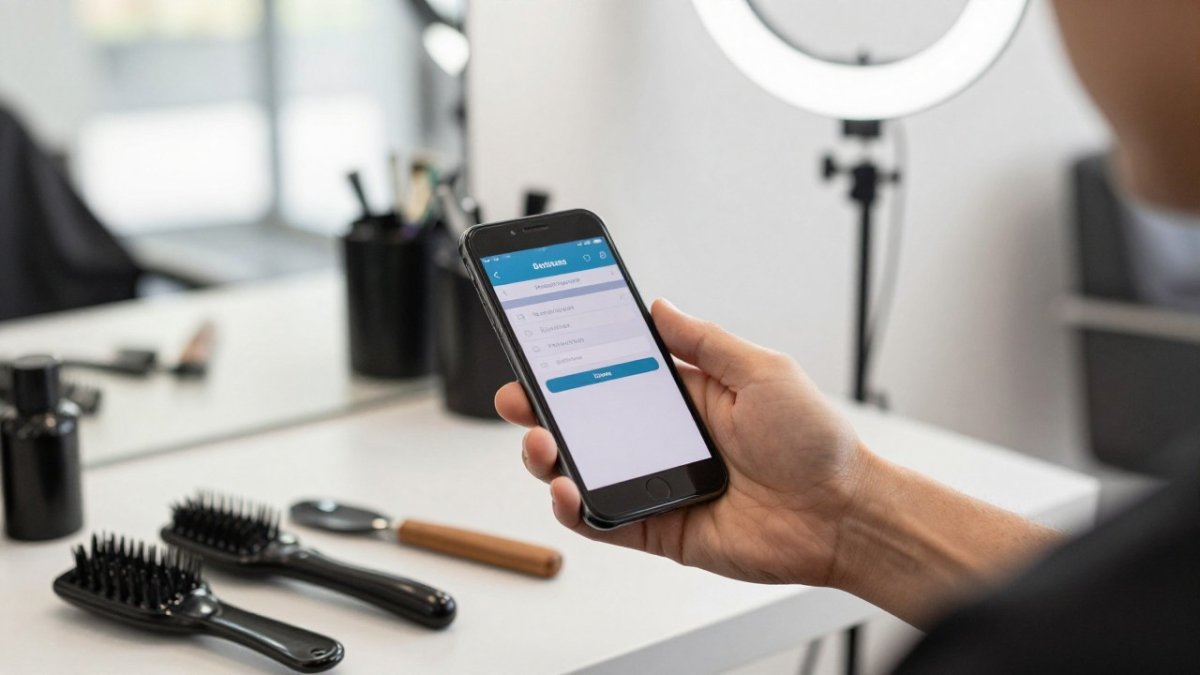
Here's our checklist for the visible layer:
- Put the booking button above the fold
- Show real availability, not a "contact us" form
- Limit services per page to what you actually offer
Every extra field is a chance for someone to quit.
Mobile Usability and Accessibility
Most clients book from a phone, often while scrolling social media. If your page takes more than a few seconds to load or the buttons are too small to tap, you lose them. Test on a small screen and check that:
- Text is readable without zooming
- Buttons are large enough to tap
- The booking flow works with one hand
Accessibility counts too. Clear labels, strong color contrast, and plain language help everyone, including clients using screen readers.
- Keyboard navigation. Put your phone down and try to complete a booking using only the Tab, Shift+Tab, Enter, and arrow keys on a laptop. Every interactive element, service cards, time slots, the confirm button, should receive a visible focus outline and respond to Enter or Space. If you can't reach the confirm button without a mouse, neither can a client using switch access or a keyboard.
- Readable labels. Form fields should have visible labels, not just placeholder text that disappears when the client starts typing. A screen reader announces the label; a placeholder is often skipped. "Phone number" as a label beats a gray "Enter phone" inside the box.
- Clear error messages. When a client leaves a required field blank or enters a phone number in the wrong format, the page should say exactly what went wrong and where, in plain language, next to the field. "Please enter a 10-digit phone number" is usable; a red border with no text is not.
A practical test: ask two people to book a test appointment on their phones, one who has never seen your page, and one who uses a screen reader or keyboard navigation. The first pause is a usability fix; the second is an accessibility fix. Both are bookings you were quietly losing.
Watch out: don't rely on a single "mobile-friendly" label without testing it yourself. Load your actual booking link on an older phone and a slow connection.
Automated Appointment Reminders That Cut No-Shows
Automated appointment reminders are scheduled messages that go out before an appointment to confirm, reschedule, or cancel it. They are the single cheapest fix for no-shows.
Set two reminders: one a few days out and one the day before. Add a third on the morning of, for high-value services. Each message should include:
- The date, time, and service
- A one-tap way to confirm
- A link to reschedule or cancel
Many businesses find that a reminder with a reschedule link cuts empty chairs more than a reminder alone.
If no-shows are already hurting your revenue, our guide on handling client no-shows covers deposits, policies, and follow-up.
Privacy, Security, and Policies Your Booking Page Needs
A booking page collects names, phone numbers, emails, and sometimes payment details. Treat that data like it matters.
You need three things in place:
- A privacy policy that explains what you collect and how you store it
- A cancellation and rescheduling policy clients see before they book
- Secure payment handling through your software, never over plain text or DM
Check how your platform stores client data and who can access it. You can read how StylBar Connexion handles your information, including the process for requesting account and data deletion.
Watch out: don't collect more than you need. A booking form that asks for a home address when you only need a phone number creates risk with no benefit.
Consent, Retention, and Data Minimization in Practice
Privacy compliance is mostly about three habits, and each one has a concrete setting behind it:
- Collect only what the appointment requires. Name, phone, email, service, and time are usually enough. Intake questions (hair length, inspiration photos, allergies) should be tied to a specific service, not asked of every client. If a field isn't used to deliver the appointment or follow up about it, remove it.
- Get consent where it is required. If you send marketing texts or emails after the appointment, the client should opt in at booking with an unchecked box, not a pre-checked one. Keep a record of when and how consent was given; most scheduling tools log this automatically.
- Set a retention window. Decide how long you keep client records, many practitioners keep appointment history for a set period for rebooking and tax purposes, then delete or anonymize older records. Know where the delete and export controls live in your platform before you need them.
Card details should be entered into your scheduling or payment provider's hosted form, never typed into a DM, a text, or a note field. Turn on two-factor authentication for your own login, because the booking page is only as secure as the account behind it.
Policies Clients See Before They Book
A cancellation policy only reduces confusion if the client sees it before they confirm, not in a confirmation email afterward. Put a short version on the booking page next to the confirm button, for example, "Cancellations within 24 hours forfeit the deposit", and link to the full policy. Then configure the workflow to match: if you require 24 hours' notice, the reschedule link in the confirmation should stop offering changes inside that window.
Measuring Whether the Page Actually Works
This is the step competitors skip, and it tells you whether any of the above is working. A professional booking page is not finished when it launches; it is finished when you know its numbers.
Set up four measurements before you share the link widely:
- Page visits. Use your platform's built-in analytics or a simple web analytics tool to count how many people open the booking page. Without this, you can't tell a traffic problem from a conversion problem.
- Booking completion rate. Compare visits to confirmed bookings over the same period. A page that gets traffic but few bookings has a friction problem; a page with few visits has a sharing problem.
- Abandonment points. Many scheduling tools show where clients drop off in the flow, service selection, time selection, or the contact form. Fix the step with the biggest drop first.
Run one change at a time, a shorter form, a new photo, a clearer policy line, and give it a couple of weeks before judging.
Launch Your Booking Page on StylBar Connexion
Launch day is simpler than most people expect.
StylBar Connexion offers an integrated, bookable portfolio where every post shared can become a direct booking opportunity.
The challenge is simple: your calendar should fill itself while you work. Launch your booking page on StylBar Connexion and start taking bookings around the clock.
Your chair is your business. Set up the page once, let the rules and reminders do the daily work, and spend your energy on the clients in front of you.
Frequently Asked Questions
What should a professional booking page include?
A professional booking page needs your business name and logo, a clear list of services with descriptions and prices, your availability and business hours, a booking form with intake questions, and a confirmation email. Add your cancellation and rescheduling policy. Keep the booking flow short: every extra field is a reason for a client to abandon the page before booking completion.
How do I make it easy for clients to book from my social media posts?
Put a single shareable booking link in every bio and post caption, and use a platform where each portfolio post is bookable directly. Clients who see your work on social media can reach a live booking page directly from the post. Test the link on a phone before you promote it, and keep the booking form to the essentials so the booking flow stays frictionless.
How can I reduce no-shows with automated appointment reminders?
Set automated appointment reminders to send by text and email at two points: 24 to 48 hours before the appointment and again a few hours before. Include the date, time, service, meeting location, and a rescheduling link in each message. Require a deposit for longer or higher-priced services, and state your cancellation policy on the booking page so clients see it before they confirm.
Can I control my availability so clients don't book me at 2 AM?
Yes. Availability limits and scheduling rules let you define business hours, block personal time, and add buffer time between appointments. Clients can book 24/7, but only into the slots you have opened. Set different hours per service, cap daily appointment capacity, and block days off in advance. Granular availability settings mean the platform works around your schedule, not the other way round.
